See every port on your Mac. Free it in one click.

DevPort lives in your menu bar and shows what's running on every localhost port: which project started it, what framework it is, and whether it's safe to stop.

One-time paymentApple silicon and IntelmacOS 13 or later

Free download, 1.7 MB. DevPort needs a licence key to run: buy one for $3.50 and paste it in.

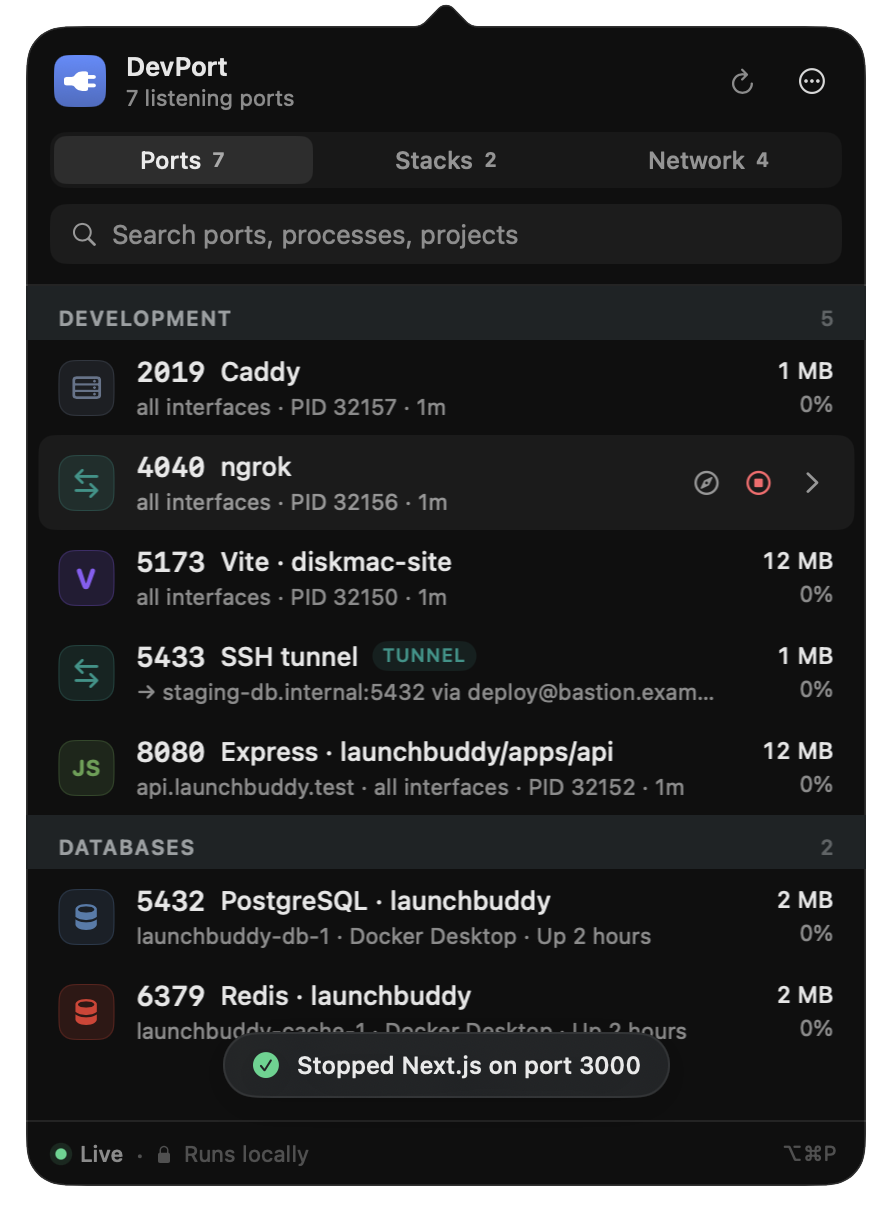
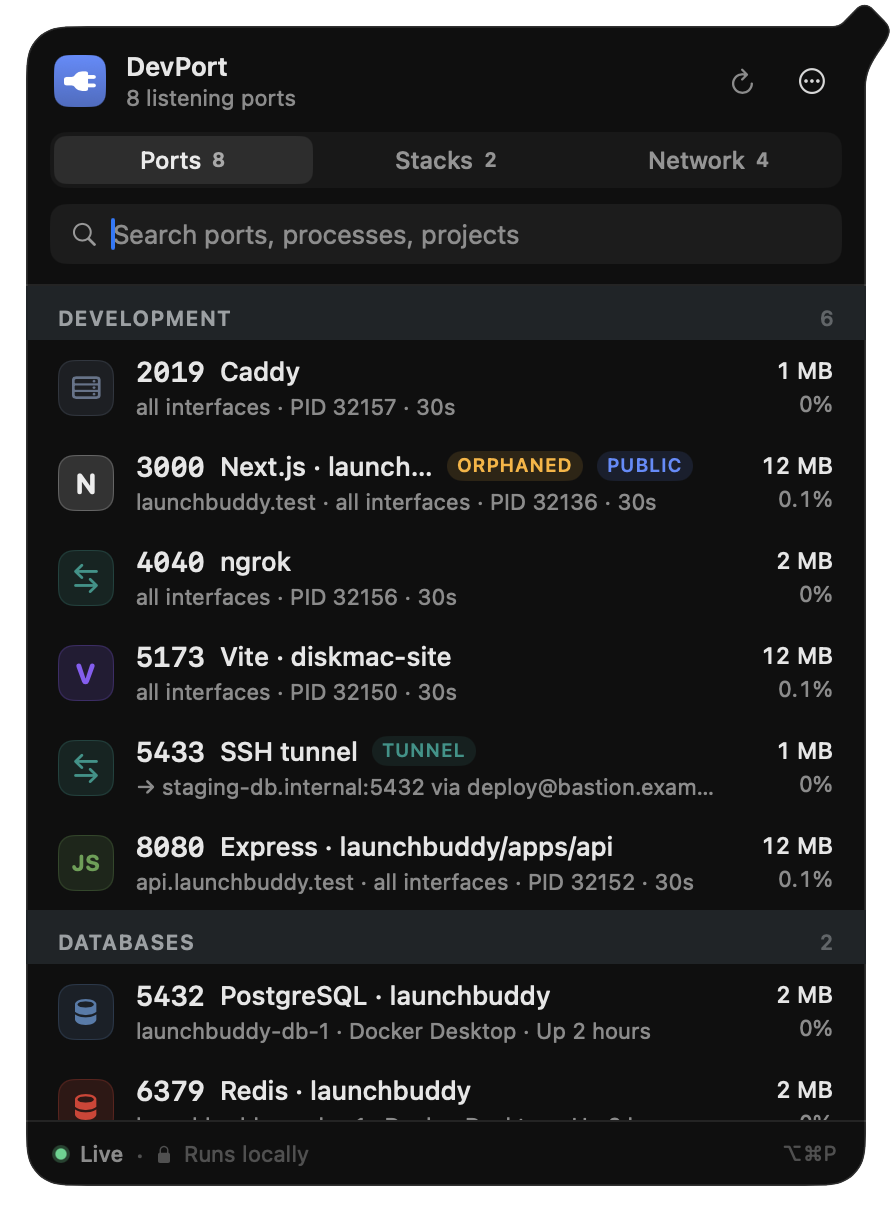
DevPort's menu-bar window listing 8 ports: Next.js on 3000, Vite on 5173, Express on 8080, PostgreSQL on 5432 and Redis on 6379, each with its project name.

You shouldn't need lsof to find out what's on port 3000.

A dev server you forgot about, a closed terminal that left Node running, a Docker container from last week. DevPort shows you all of it, names the project, and lets you stop it without guessing at a PID.

Features

Everything running on localhost, in one place

Click the plug in your menu bar, or press ⌥⌘P from anywhere.

Every port, with the project behind it

DevPort reads open ports straight from macOS and matches each one to its process, folder and framework. You see 3000 · Next.js · launchbuddy, not node 48213.

  • Detects Next.js, Vite, Rails, Django, FastAPI, Express, Postgres, Redis and more
  • Shows CPU, memory and how long each server has been up
  • Flags dev servers still running after you closed their terminal
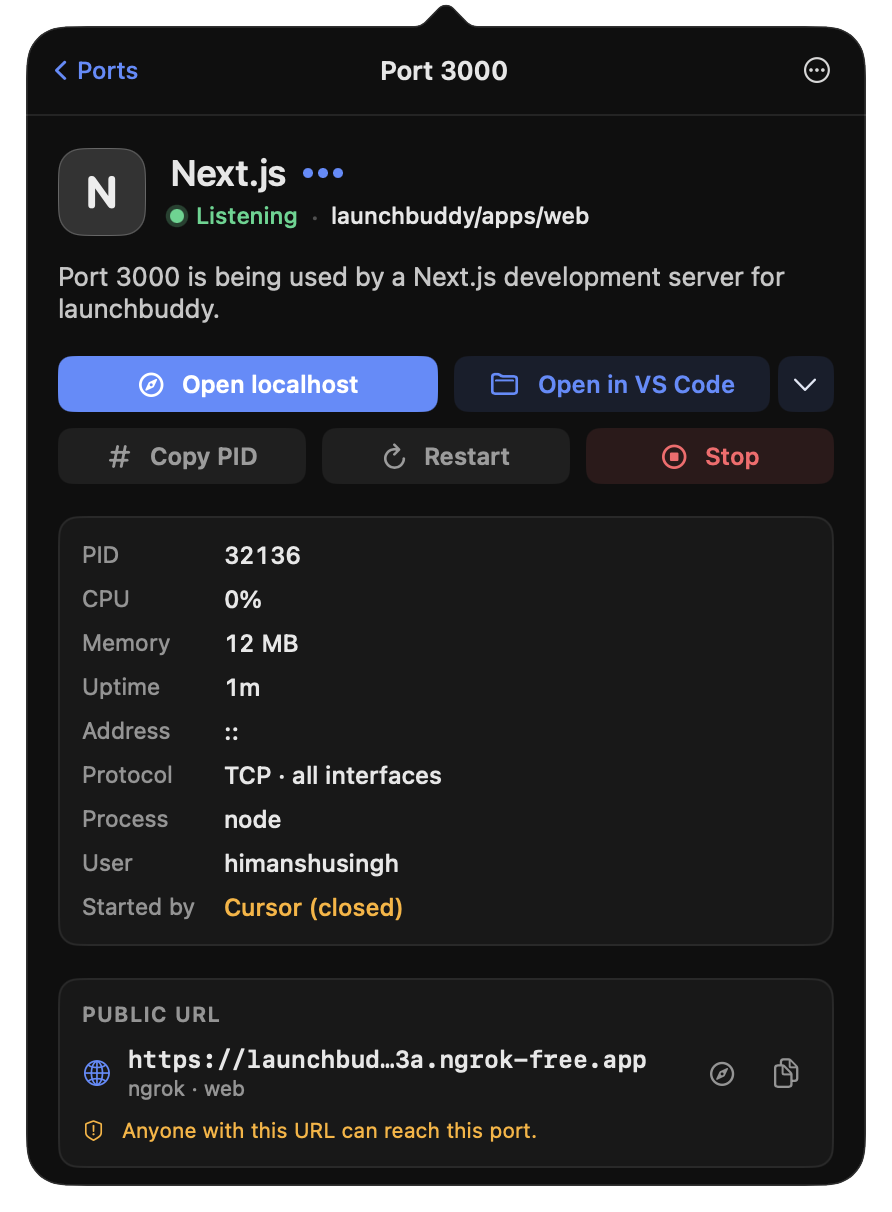
Port 3000 opened in DevPort: Next.js, the launchbuddy project, its process, memory and uptime.

“Why is port 3000 busy?” answered

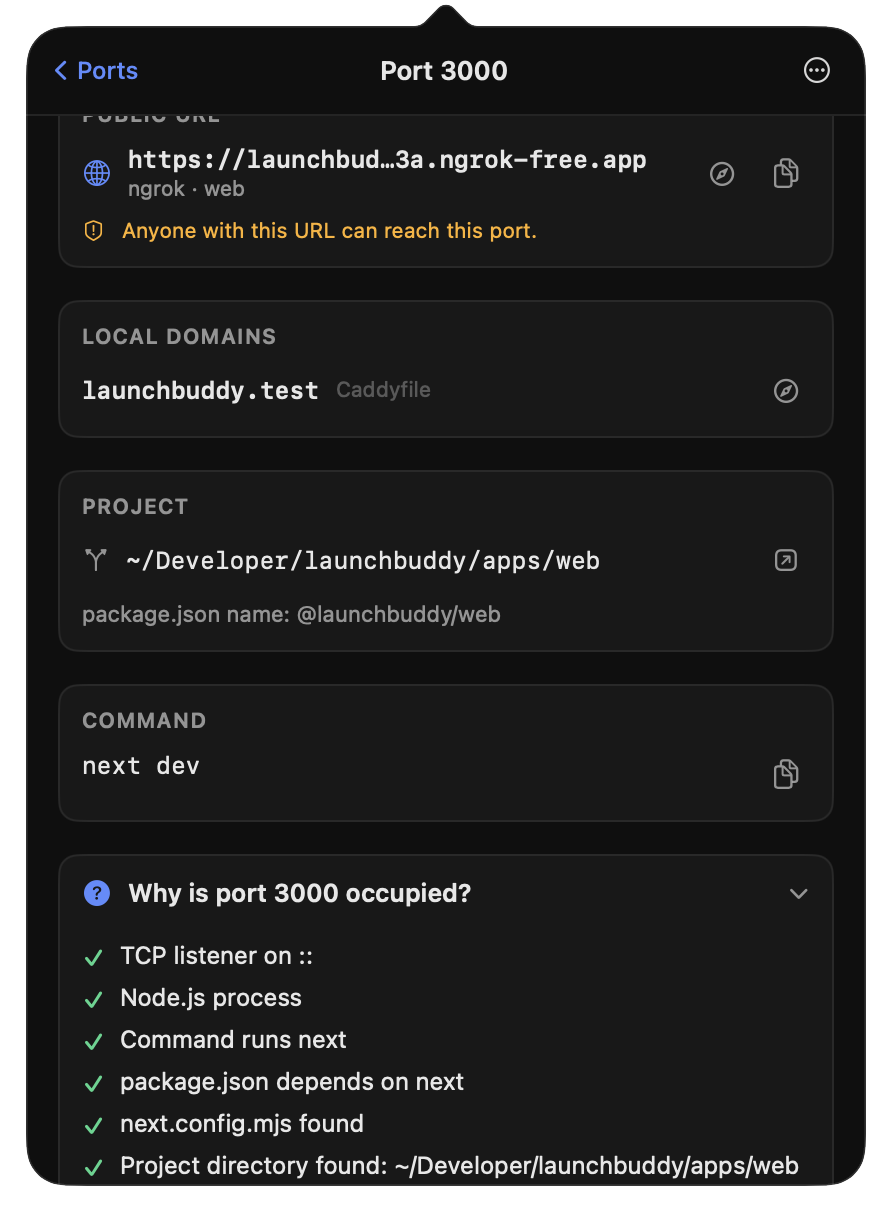
Open any port to see exactly why DevPort thinks it belongs to that project, whether it's reachable from your network or the internet, and whether it's safe to stop.

  • Warns when a port is exposed through ngrok or Cloudflare
  • Spots two processes fighting over one port, including the IPv4/IPv6 split
  • Opens the project in Finder, VS Code, Cursor, Zed or your terminal
Port 3000 detail: public URL warning, local domain, project path, command and a checklist explaining why the port is occupied.

Stop or restart safely, in one click

Stop sends a polite signal first and offers Force Quit only if the process ignores it. Restart runs your original command again, like npm run dev, in the right folder.

  • macOS system processes are protected from accidental stops
  • Checks the process is still the same one before sending any signal
DevPort confirming that a server was stopped and its port is free.

Start and stop whole projects

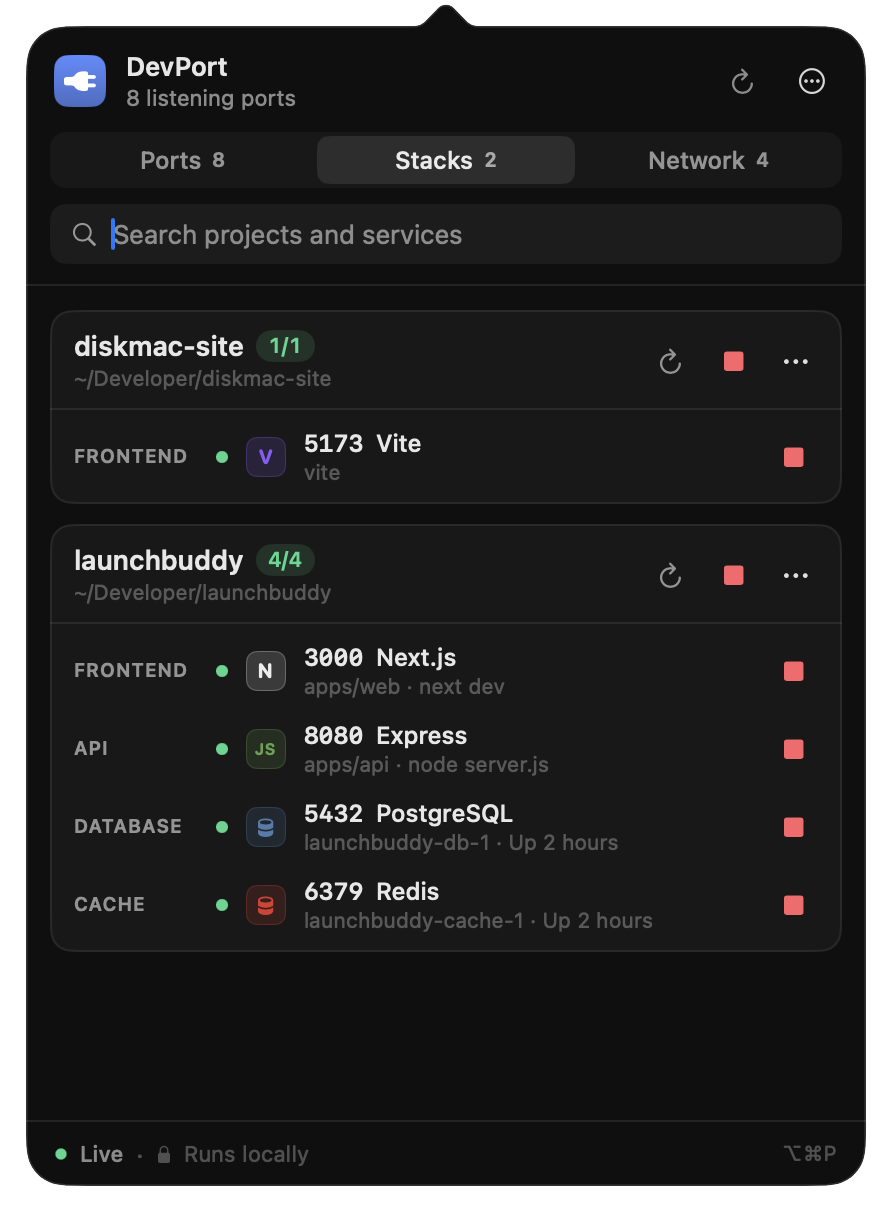
Stacks remember the services each project needs: frontend, API, database, cache. Start everything in the right order, or shut it all down when you switch projects.

The Stacks tab showing two projects with their frontend, API, database and cache services.

Containers, tunnels and local domains too

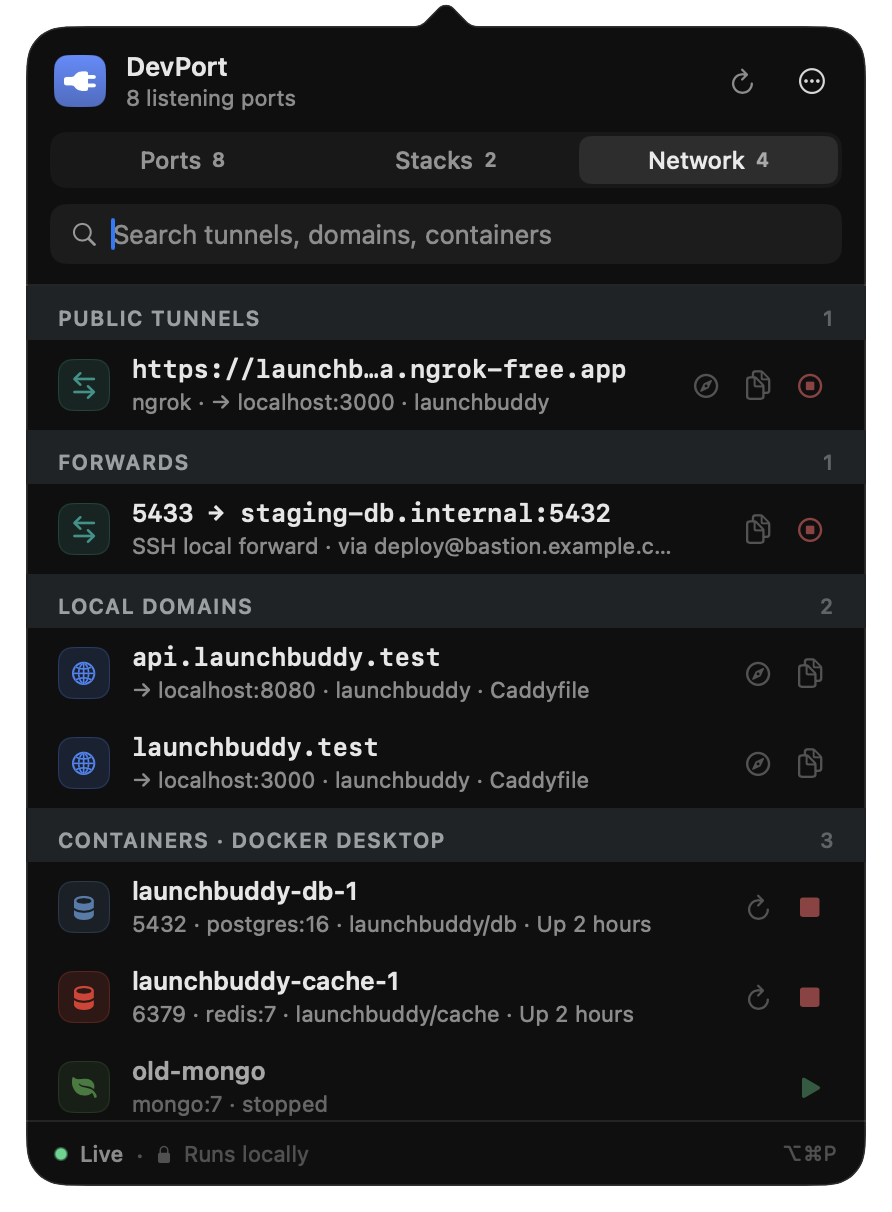
Docker Desktop, OrbStack, Colima and Podman containers show up with their mapped ports. So do ngrok and Cloudflare tunnels, SSH and kubectl port-forwards, and .test domains.

The Network tab listing a public ngrok tunnel, an SSH forward, local domains and Docker containers.
~2 ms

Native and fast

Written in Swift. Reads ports directly from macOS, with no lsof calls, so refreshing every 2 seconds costs nothing.

private

Nothing leaves your Mac

No account, no analytics. Your process list is never sent anywhere. The only network request is the licence check.

⌥⌘P

Keyboard first

Open it from anywhere, move with the arrow keys, press Return to open a port and Esc to go back.

alerts

Conflict notifications

Get a notification when two processes start fighting over the same port.

menu bar

Count at a glance

The menu bar shows how many dev servers are running, with a warning sign when there's a conflict.

login

Starts with your Mac

Turn on Launch at login and DevPort is always one click away.

How it works

Up and running in a minute

1

Buy DevPort

Pay $3.50 once through our checkout. Your licence key is emailed to you and shown on the next page.

2

Download and install

Open DevPort.dmg and drag DevPort into Applications. It runs on Apple silicon and Intel Macs.

3

Activate

Click the plug in your menu bar and paste your key. DevPort unlocks and scans your Mac straight away.

Pricing

One price. No subscription.

Pay once and keep DevPort. Every feature is included, and one licence covers two of your Macs.

DevPort
Mac menu-bar app
$3.50one-time
  • Every feature, and every update for life
  • One key for the Macs you pay for. Move it any time
  • 14-day refund if it is not for you
  • Apple silicon and Intel, macOS 13 or later

Secure checkout by Dodo Payments. Sales tax is added where it applies.

FAQ

Questions

Do I need a licence key to use DevPort?

Yes. Anyone can download the app, but it only starts working after you activate it with a key. You get the key by email and on the thank-you page right after you pay.

Does it work on Intel Macs?

Yes. The download is a single universal app that runs natively on both Apple silicon (M1 and later) and Intel Macs with macOS 13 Ventura or later.

How many Macs can I use it on?

Two. If you replace a Mac, open DevPort Settings and choose Deactivate this Mac to free the seat, then activate on the new one.

Does DevPort send my data anywhere?

No. Process and port information stays on your Mac. The only network request DevPort makes is to our payment provider to check your licence.

Does it work offline?

Yes. After activation DevPort keeps working offline. It rechecks the licence quietly when you're online, and only needs to reach the server once every 30 days.

Is it safe to stop processes with it?

DevPort refuses to stop macOS system processes, asks the process to quit politely before offering Force Quit, and checks it's still the same process before sending any signal.

I lost my licence key.

Search your inbox for the receipt from Dodo Payments. If you can't find it, email technophilic000@gmail.com with the address you paid with.

Can I get a refund?

Yes, within 14 days if DevPort doesn't work for you. See the refund policy.

Stop hunting for PIDs.

See every port on your Mac for $3.50, once.

Apple silicon and Intel · macOS 13 or later